
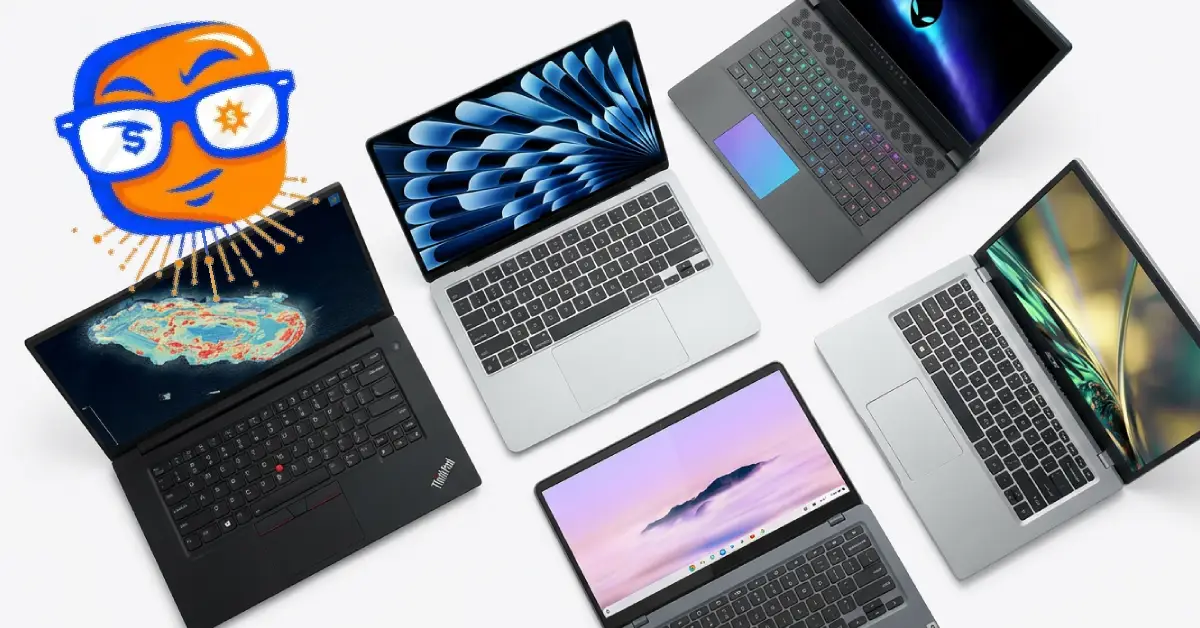
The 12 Best Laptops of 2026: Expert Tested Picks for Every Budget and Need
Deal Nerd Hub uses affiliate programs. If you snag a deal through our links, we may receive a small commission at no extra cost to you. Thanks for supporting the hunt!

Last Updated on 8 months ago by Deal Nerd Hub Staff
Your guide to top-rated laptops for work, gaming, and everyday use
Need a capable laptop for school, work gaming or creating? Perhaps all of the above? Here’s some good news about your future investment. If you are considering buying a laptop in 2026, expect to get a lot more value for your investment today compared with previous years.
All the big laptop announcements from CES 2026 earlier underscore how AI processors have matured to a level where they perform extremely well. You’ll also find that many manufacturers are producing laptops with OLED screens and many laptops now have such long battery lives that you may no longer need to remember where you left your charger!
The number of new laptops set to launch each month will continue to grow and this influx of new products can be overwhelming. Finding the laptop that is right for you doesn’t have to be confusing and time-consuming. That’s why we’ve done all the digging for you and created this guide to cut through the noise.
This guide cuts through the noise. We researched trusted reviews of the best laptops across every category, from sub-$300 Chromebooks that handle daily tasks without complaint to $2,000+ workstations that can render your afternoon away. Whether you’re a student, creator, gamer, or someone who just needs to answer emails without wanting to throw their computer out a window, you’ll find something here.
How We Picked These Laptops
Before we get to the recommendations, here’s what mattered most in our selection:
Battery Life: A laptop that dies before lunch is just an expensive paperweight. We prioritized models that last through a full workday (8+ hours of real use, not the marketing fairy tale numbers). For gaming laptops, we looked for at least 4-5 hours of non-gaming tasks.
Performance: Speed matters, but it has to match your needs. We found reviews that tested how each laptop handles its intended workload. Ultraportables were tested with everyday multitasking. Gaming laptops ran demanding titles at high settings. Workstations pushed through 4K video editing and 3D rendering.
Value: The best laptop isn’t always the most expensive one. It’s the one that does what you need without making you choose between a new computer and paying rent. We weighed specs against price to find machines that deliver the most bang for your buck.
Our Research Process
We don’t hands-on test laptops ourselves Instead, we research professional reviews from trusted tech publications, analyze manufacturer specs, track user feedback, and combine this with our expertise in laptop pricing and deals.
We cite our sources throughout and update this guide regularly as new models launch and prices change. Our goal is to help you identify which laptops offer the best value when they go on sale.
Now let’s look at the actual laptops.
Premium Ultraportables: Power Meets Portability
MacBook Air M4 (13-inch)
Price: Starting at $999 | Buy on Amazon | Apple Store
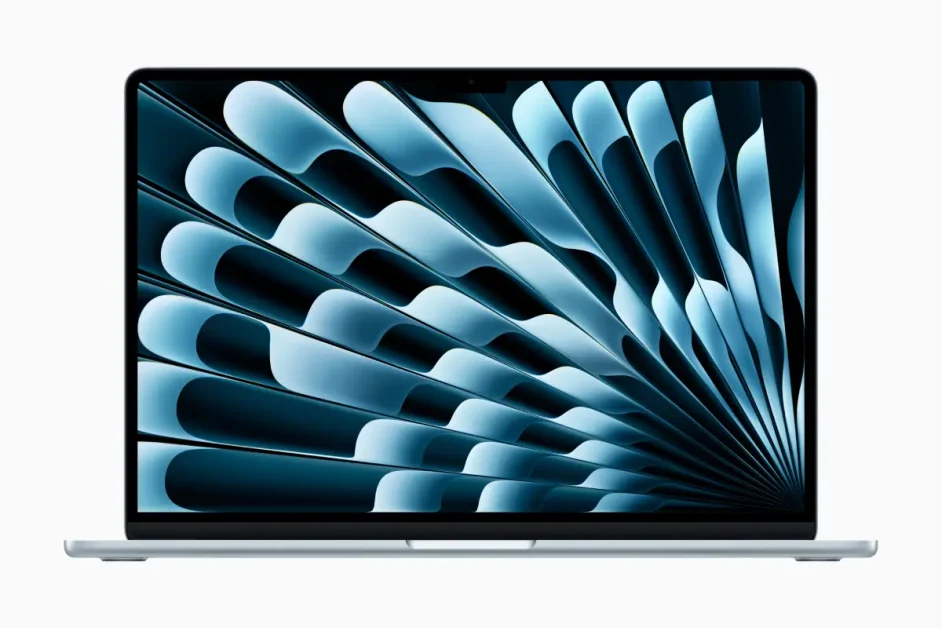
Apple finally did something surprising: they dropped the price. The M4 MacBook Air starts at $999 and comes with 16GB of RAM as standard, which is basically unheard of for Apple. No more paying $200 to upgrade from an embarrassing 8GB.
The M4 chip is roughly 20% faster than the M3 in benchmarks, scoring 3,638 in single-core and 14,783 in multi-core Geekbench 6 tests. But the real story is efficiency. This thing runs completely silent (no fan), stays cool enough to actually use on your lap, and delivers 12-14 hours of real-world battery life. Apple claims 18 hours, but let’s be realistic: that’s with the screen at 20% brightness and WiFi off.
The 13.6-inch Liquid Retina display hits 500 nits of brightness and covers 100% of the P3 color gamut. It’s sharp, vibrant, and makes working outside possible. The only catch is glare. If you’re sensitive to reflections, budget $20 for a matte screen protector.
Build quality is excellent as always. At 2.7 pounds and 0.44 inches thick, it’s one of the lightest laptops you can buy. The new Sky Blue color is subtle and actually looks good in meetings, unlike some of the garish options other brands try to pass off as “professional.”
Port situation is minimal: two Thunderbolt 4 USB-C ports and a headphone jack. You’ll need a dongle for everything else, which is annoying but expected at this point. The webcam got upgraded to 12MP with Center Stage, making video calls dramatically better than older models.
Gaming isn’t the point here, but the M4’s GPU can handle lighter titles. No Man’s Sky runs at 44-50 fps at medium settings, which is playable. Don’t expect AAA gaming, but Baldur’s Gate 3 and similar games run fine.
Best for: Students, remote workers, anyone who values battery life and portability over raw power. The base model with 256GB storage works for most people, but spring for 512GB if you keep large files locally.
Lenovo ThinkPad X1 Carbon Gen 13 Aura Edition
Price: Starting at $1,899 | Buy on Lenovo | Amazon

The ThinkPad X1 Carbon has been the gold standard for business laptops for years. Gen 13 makes it even better by dropping the weight to 2.17 pounds while keeping everything that made previous versions great. That’s lighter than a MacBook Air despite having a 14-inch screen and actual ports.
Inside is Intel’s Lunar Lake Core Ultra 7 258V processor with 16GB of RAM (32GB available). Performance is solid but not groundbreaking. Geekbench 6 scores hit 2,762 single-core and 11,131 multi-core. Real-world use feels snappy for productivity work, though the lack of hyperthreading means it falls slightly behind last year’s model in heavily threaded tasks.
The 14-inch OLED display is the real star. It runs at 2880×1800 resolution with a 120Hz refresh rate, 400 nits brightness, and 100% DCI-P3 coverage. Colors look incredible, blacks are true black, and the anti-glare coating actually works. Battery life depends on your panel choice. The OLED version hits 8-10 hours with normal use.
ThinkPad keyboards remain the best in the business. The keys have 1.5mm travel, excellent tactile feedback, and a layout that makes sense. The TrackPoint nub is still there if you’re into that, and the trackpad is large and responsive. Everything about typing on this laptop just feels right.
Port selection puts other ultraportables to shame: two Thunderbolt 4 ports, two USB-A ports, HDMI 2.1, and a headphone jack. No dongles required. Build quality is military-spec tested and feels indestructible. The soft-touch carbon fiber shell picks up fingerprints easily, but that’s a minor annoyance.
The price is steep at $1,899+ for the base model with the IPS screen. OLED configurations push past $2,500. For that money, you get a laptop that will last 5+ years and survive whatever you throw at it. Corporate IT departments buy these by the thousands for good reason.
Best for: Business professionals, frequent travelers, anyone who needs a reliable workhorse that won’t slow them down. The keyboard alone justifies the price if you type for a living.
MacBook Pro M5 (14-inch)
Price: Starting at $1,599 | Buy on Amazon | Apple Store
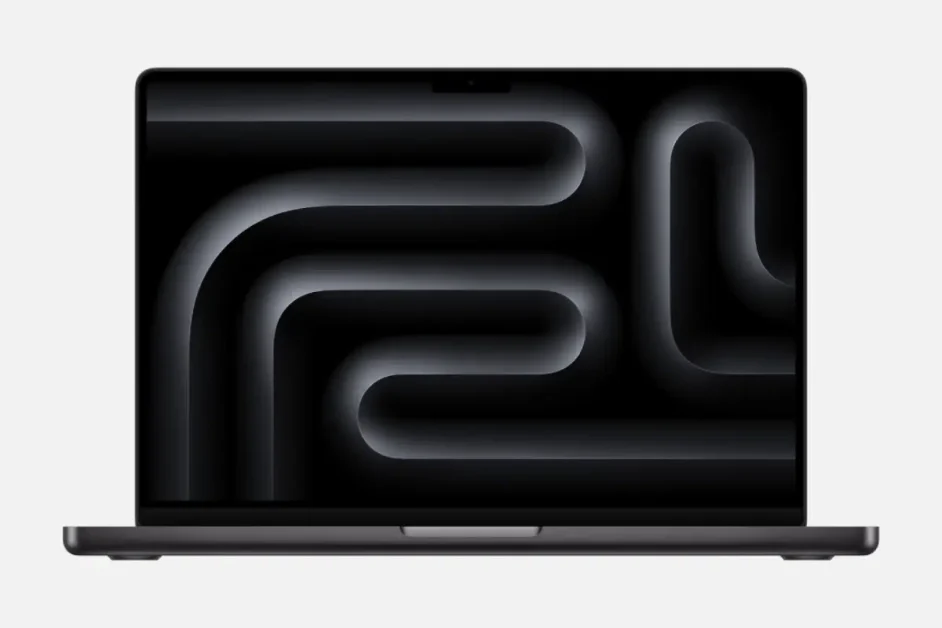
If the MacBook Air isn’t enough, the Pro is where Apple stops messing around. The base M5 Pro chip crushes productivity work and handles creative tasks the Air would struggle with. We’re talking 4K video editing in Final Cut Pro, Photoshop with dozens of layers, and Xcode projects that compile in seconds instead of minutes.
The 14.2-inch Liquid Retina XDR display hits 1,000 nits sustained brightness (1,600 nits peak for HDR). It makes the Air’s screen look dim by comparison. Mini-LED backlighting means excellent contrast and HDR performance. The ProMotion 120Hz refresh rate makes scrolling butter-smooth.
Battery life is excellent at 15-17 hours of normal use. The M5 Pro chip is efficient despite its power. The fan rarely spins up during normal work, and when it does, it’s quiet. Build quality is typical Apple: expensive-feeling aluminum unibody, solid hinge, zero flex.
Port situation improves dramatically over the Air: three Thunderbolt 5 ports, HDMI 2.1, SD card slot, MagSafe 3 charging, and a headphone jack that supports high-impedance headphones. You can actually connect peripherals without living the dongle life.
The notch is still there, which is annoying for the $1,599 you’re paying. Face ID would at least justify it, but nope. The keyboard is good but not ThinkPad-good. Trackpad is massive and excellent with best-in-class palm rejection.
Gaming performance surprises. The M5 Pro GPU handles modern titles at 1440p medium settings, hitting 50-60 fps in most games. It’s not a gaming laptop, but you can game on it if you want.
Best for: Creative professionals, developers, power users who need Pro performance in a portable package. The base model with 24GB RAM and 512GB storage is the sweet spot for most people.
Midrange Business Laptops: Practical Performance
Dell XPS 14 (2026)
Price: Starting at $2,049 (entry models under $2,000 coming February) | Buy on Amazon | Dell
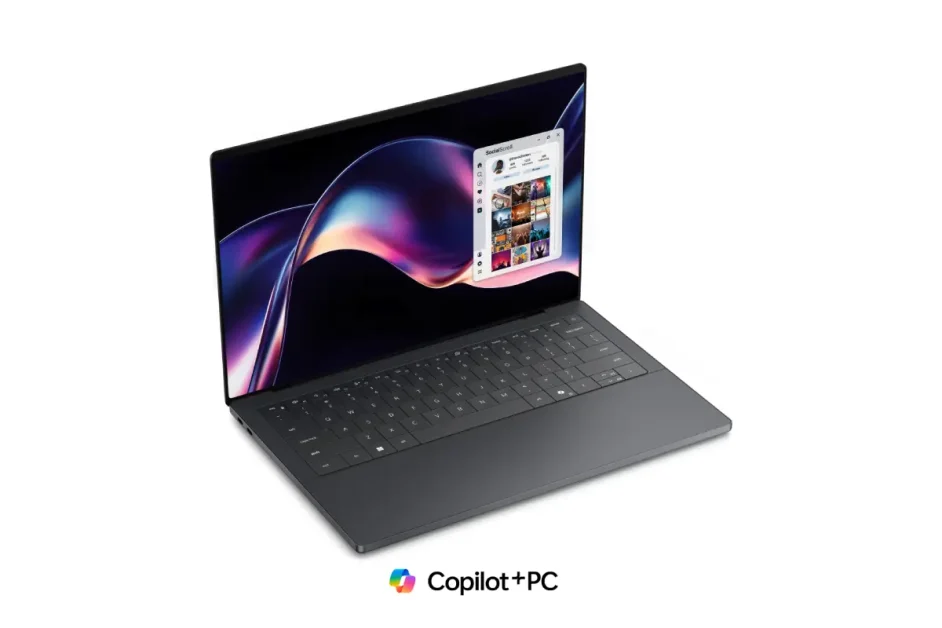
Dell listened to feedback and brought back the XPS name after last year’s naming disaster. The 2026 XPS 14 fixes nearly everything people complained about. The capacitive touch bar is gone, replaced with actual function keys you can feel. The keyboard has better travel and feedback. The trackpad has proper tactile edges so you know where it starts.
Inside is Intel’s new Panther Lake Core Ultra processor (available up to Core Ultra 9). Performance jumps 10-20% over last year’s models. The base configuration with 16GB RAM and 512GB storage handles multitasking easily. Battery life hits 27 hours of video playback according to Dell, which translates to 10-12 hours of real work.
The display comes in two options: a 2K LCD (2400×1200) or 2.8K OLED (2880×1800). Both support adaptive refresh rates from 1-120Hz for better battery life. The OLED looks stunning with perfect blacks and vibrant colors, but the LCD saves battery and costs less. Pick based on your priorities.
Build quality is premium: CNC-milled aluminum chassis with Gorilla Glass 3 trackpad and palm rest. At 3 pounds and 14.6mm thin, it’s portable without being fragile-feeling. The XPS logo finally appears on the lid, which looks better than Dell’s old branding.
Port selection is decent: two USB-C (Thunderbolt 4), two USB-A, microSD card reader, HDMI 2.1, and headphone jack. Noticeably missing: dedicated GPU options. Dell decided to rely entirely on Intel’s Arc integrated graphics. For productivity work, it’s fine. For gaming or heavy GPU tasks, look elsewhere.
The $2,049 starting price is high, but Dell promises sub-$2,000 configurations in February. Wait for those if budget matters. Build quality and design justify the premium, but you’re definitely paying the Dell tax.
Best for: Business users who want premium build quality without gaming features. Perfect for presentations, spreadsheets, and looking professional in meetings.
Lenovo Yoga 9i 2-in-1 (Gen 10)
Price: Starting at $1,599 | Buy on Amazon | Lenovo

The Yoga 9i continues Lenovo’s tradition of making excellent 2-in-1 laptops. The 360-degree hinge converts from laptop to tablet mode smoothly, and it’s held up through thousands of cycles in testing. At 3.1 pounds, it’s light enough to use in tablet mode without your arms cramping.
The 14-inch OLED touchscreen runs at 2880 x 1800 resolution with 400 nits brightness and 100% DCI-P3 color coverage. Touch response is excellent with zero lag. The included Lenovo Slim Pen magnetically attaches to the side and charges wirelessly. It’s not a Wacom-level experience, but works well for notes and sketching.
Intel’s latest processors (up to Core Ultra 7) provide solid performance. The integrated Arc graphics handle light creative work and casual gaming. Battery life averages 10-12 hours with mixed use, dropping to 7-8 with heavy workloads.
The rotating soundbar hinge houses quad speakers that sound surprisingly good for a laptop. Dolby Atmos support adds spatial audio that actually works. Volume gets loud without distortion, making this great for watching movies or listening to music without headphones.
Its keyboard feels good with decent travel and spacing. The trackpad is large and responsive. The fingerprint reader integrated into the power button works reliably. Build quality is solid aluminum that feels premium, though it picks up fingerprints easily.
Port selection: two Thunderbolt 4 USB-C, two USB-A, headphone jack. No HDMI or SD card slot, which is disappointing for a laptop this expensive. You’ll need a dongle for displays and peripherals.
Best for: People who want convertible flexibility without compromising on performance. Great for students, casual creators, and anyone who takes handwritten notes.
Gaming Laptops: Portable Power for Play
ASUS ROG Zephyrus G14 (2026)
Price: Estimated $1,799+ | Buy on Newegg | ASUS Store

The Zephyrus G14 has been the king of compact gaming laptops for years. The 2026 model adds Intel Panther Lake processors (up to Core Ultra 9 386H) alongside AMD Ryzen AI 400 options, giving buyers actual choice for the first time. The Intel variants get better GPU options (up to RTX 5080), while AMD versions cap at RTX 5060.
At 3.3 pounds and 0.63 inches thick, this is one of the most portable gaming laptops you can buy. The CNC-milled aluminum chassis feels premium and survives drops without issue. The 14-inch display is a 3K OLED (2880×1800) with 120Hz refresh, 1100 nits peak brightness, and VESA DisplayHDR True Black 1000 certification. It looks incredible for both gaming and content creation.
The RTX 5080 configuration handles modern games at high settings and 1440p resolution, typically hitting 60+ fps. DLSS 4.0 support pushes framerates higher when needed. The 130W TGP (total graphics power) is impressive for a laptop this thin, though it throttles slightly under sustained load compared to thicker gaming laptops.
Battery life surprises: 6-8 hours of productivity work, 2-3 hours gaming. The 73Wh battery charges to 50% in 30 minutes with the included 200W adapter. Thermal management uses liquid metal on the CPU and tri-fan cooling. It stays reasonably quiet during gaming, though it’s not silent.
The keyboard has 1.7mm travel and per-key RGB lighting. It feels good for gaming and typing. The trackpad is large for a 14-inch laptop. Port selection: two USB-C (Thunderbolt 4 on Intel models, USB4 on AMD), two USB-A 3.2, microSD slot, HDMI 2.1, and headphone jack.
The Slash Lighting array on the lid now has 35 zones instead of 7, allowing more customization. It’s gimmicky but looks cool in a dark room. Armoury Crate software lets you manage performance profiles, lighting, and fan curves without being a nightmare to use.
Best for: Gamers who travel frequently or students who need a laptop that handles classes and gaming without weighing down their backpack.
MSI Stealth 16 AI Studio
Price: Starting at $1,999 | Buy on Amazon | Newegg

MSI’s Stealth series has always been about cramming desktop-level performance into a semi-portable chassis. The 2026 model delivers with Intel’s latest Core Ultra processors and RTX 5000 series GPUs up to the RTX 5090. At 4.4 pounds, it’s not ultraportable, but it’s reasonable for a 16-inch gaming machine.
The 16-inch Mini LED display runs at 2560 x 1600 resolution with 240Hz refresh rate. It’s exceptionally bright at 1000 nits peak, making HDR content look spectacular. The high refresh rate makes competitive gaming smooth, though 1600p is tough to drive at 240 fps even with an RTX 5090.
Performance is excellent. The RTX 5090 configuration pushes AAA titles at max settings while maintaining 60+ fps at native resolution. Ray tracing performance impresses with DLSS 4.0 handling the heavy lifting. Content creators benefit from the GPU horsepower for 4K video editing and 3D rendering.
Thermal management uses MSI’s Cooler Boost 5 with a vapor chamber and dual fans. It keeps temperatures under control but gets loud under load. Battery life is the weakness: 3-4 hours of productivity work, 1-2 hours gaming. The 99.9Wh battery is as large as airlines allow, but gaming laptops are power-hungry.
The SteelSeries keyboard has per-key RGB and feels good, though it’s slightly mushier than competition. The glass trackpad is large and supports Windows gestures well. Port selection is comprehensive: three USB-C (Thunderbolt 5), three USB-A, SD card reader, HDMI 2.1, and headphone jack.
Build quality is solid aluminum with minimal flex. The hinge feels sturdy despite the size. MSI’s Center software manages performance, RGB, and updates without being invasive.
Best for: Gamers and creators who prioritize performance over portability. The bright display and powerful specs make it great for photo/video editing when you’re not fragging opponents.
Alienware 16 Area-51 (2026)
Price: Estimated $2,800 | Buy on Amazon | Dell
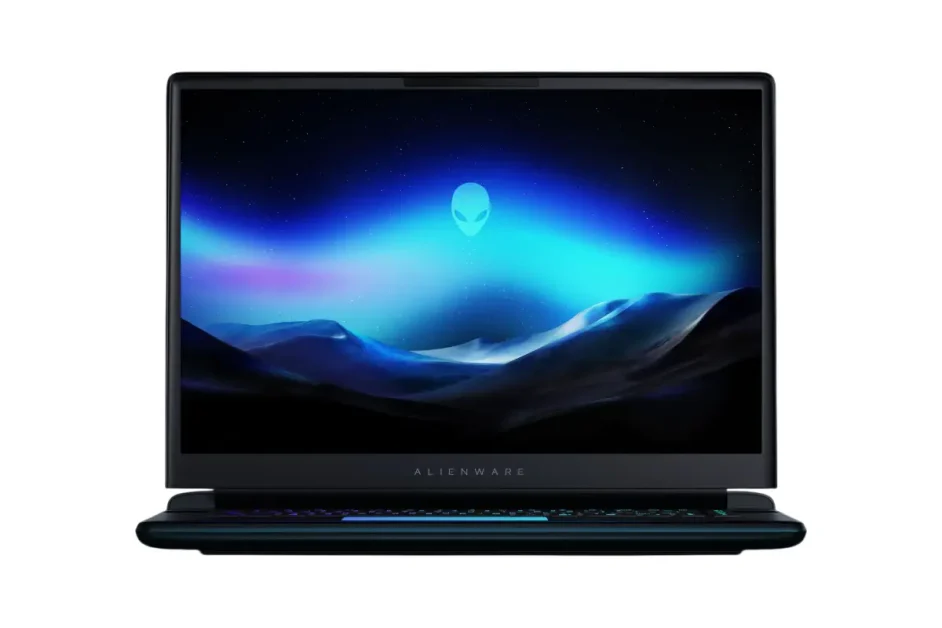
Alienware redesigned the Area-51 for 2026, making it thinner and lighter while keeping the alien aesthetic gamers either love or hate. At 5.3 pounds, it’s portable for a 16-inch gaming laptop. The chassis uses magnesium alloy for strength without excessive weight.
Inside, Intel Core Ultra processors (up to Core Ultra 9) pair with Nvidia RTX 5000 series GPUs up to the RTX 5080. The 140W TGP on the 5080 pushes excellent gaming performance, typically matching desktop 4070 speeds. AAA titles at 1440p high settings maintain 60+ fps consistently.
The 16-inch display comes in two options: a 165Hz (2560 x 1600) IPS or 240Hz (2560 x 1600) IPS. Both support G-Sync and hit 500 nits brightness. No OLED option yet, which is disappointing at this price. The high refresh rates benefit competitive gaming, but response times aren’t quite as fast as dedicated esports panels.
Alienware’s Cryo-Tech cooling uses vapor chamber and quad-fan design. It handles thermal loads well, keeping the GPU in the 70-75°C range during gaming. Fan noise is noticeable but not obnoxious. Battery life is typical for gaming laptops: 4-5 hours productivity, 2 hours gaming.
The keyboard features Cherry MX mechanical switches with per-key RGB. It feels fantastic for gaming with excellent tactile feedback and quick actuation. Typing for work is also pleasant. The trackpad is adequate but nothing special. Most gamers use a mouse anyway.
Port selection: three USB-C (Thunderbolt 5), three USB-A, HDMI 2.1, microSD card reader, headphone jack, and Ethernet. The Alienware Command Center software manages RGB, performance profiles, and game optimization without being terrible.
Best for: Gamers who want high-end performance with recognizable gamer aesthetics. The mechanical keyboard alone makes it worth considering if you’re picky about typing feel.
Budget Options: Affordable Productivity
Acer Aspire 3
Price: Starting at $329 | Buy on Amazon | Newegg

The Aspire 3 is basic, but it’s honest about what you’re getting. For under $329, you get a 15.6-inch screen with AMD Ryzen 3 processor, 8GB RAM, and 128GB of storage. It handles web browsing, documents, video streaming, and light multitasking without complaint.
The 1920 x 1080 IPS display is adequate with decent viewing angles and colors. Brightness maxes out around 250 nits, making outdoor use difficult but indoor viewing fine. The keyboard has reasonable travel but feels slightly mushy. The trackpad works but isn’t precision-grade. Everything about this laptop screams “functional but forgettable.”
Performance matches expectations. Don’t expect to edit 4K video or run Photoshop with 50 layers. Web apps, Microsoft Office, and streaming services work fine. Battery life averages 6-7 hours with light use. The plastic chassis flexes more than you’d like but survives normal use.
Port selection is basic: two USB-A, one USB-C, HDMI, headphone jack, and Ethernet. The webcam is 720p and grainy. Build quality is what you’d expect for $329: functional but not impressive. You get what you pay for.
Best for: Students on tight budgets, kids learning to use computers, backup laptops, or anyone who needs basic functionality without spending much.
Lenovo IdeaPad Slim 3i Chromebook Plus
Price: Starting at $499 Buy on Amazon | Lenovo

Chromebooks have come a long way. The Lenovo IdeaPad Slim 3i Chromebook Plus delivers excellent value with a 14-inch 1920 x 1200 touchscreen, Intel Core i3 processor, 8GB RAM, and 128GB storage. The slim design makes it easy to slip into a backpack for daily commuting.
Chrome OS runs fast on modest hardware. Web browsing is snappy, Google Workspace apps handle productivity tasks, and Android apps provide flexibility. Battery life averages 10-12 hours, outlasting most Windows laptops. The keyboard feels good with decent travel and spacing.
The touchscreen responds well with minimal lag. Build quality is solid for the price with aluminum lid and plastic base. At 3.3 pounds, it’s portable enough for daily commuting.
Limitations are Chrome OS itself. You’re mostly limited to web apps and Android apps. Power users need Windows or macOS. Storage is limited at 128GB, though cloud storage helps. The 720p webcam is mediocre. Port selection: two USB-C, one USB-A, microSD slot, and headphone jack.
Best for: Students, casual users, anyone comfortable living in the cloud. The long battery life and low maintenance make it great for people who just need a browser.
Acer Nitro V 15
Price: Starting at $749 | Buy on Amazon
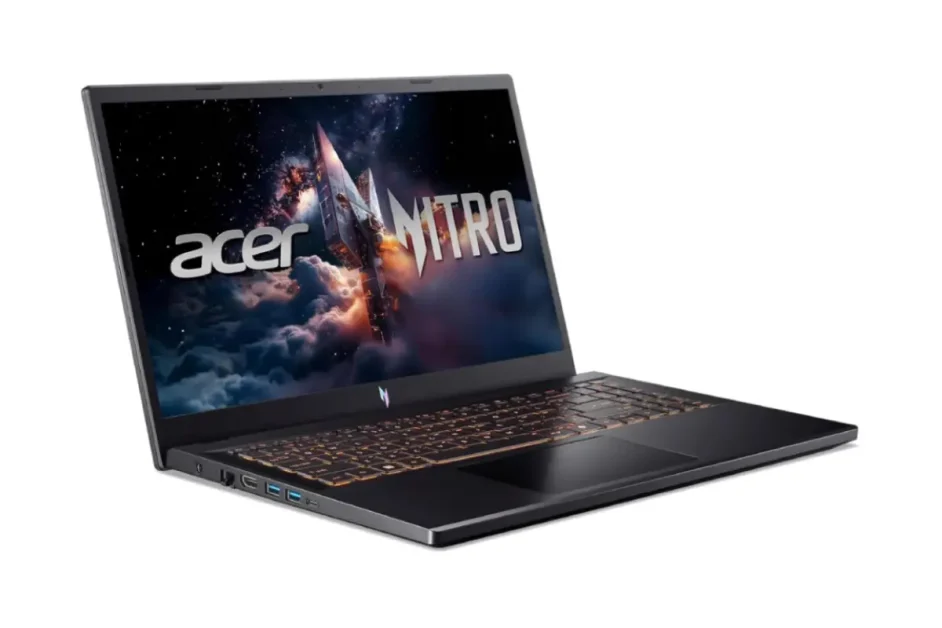
Budget gaming usually means compromises, but the Acer Nitro V 15 delivers surprising value. For $749, you get an Intel Core i5 processor, Nvidia RTX 4050 graphics, 8GB RAM, and 512GB SSD. The 15.6-inch 1920 x 1080 IPS display runs at 165Hz, making gaming smooth.
Performance handles esports titles at high settings and 100+ fps. Modern AAA games run at medium settings and 60 fps. The RTX 4050 isn’t powerful, but it’s capable for 1080p gaming. DLSS support extends its usefulness. The cooling system uses dual fans and keeps temperatures reasonable, though it gets loud under load.
Battery life is weak at 3-4 hours for productivity and 1-2 hours gaming. The plastic chassis feels cheap but survives normal use. The keyboard has per-key RGB and decent travel. The trackpad is adequate. Port selection: three USB-A, one USB-C, HDMI, Ethernet, and headphone jack.
Build quality won’t impress anyone, but it works. The display brightness is limited at 300 nits. Colors are acceptable but not vibrant. The speakers are tinny. Everything about this laptop screams “budget,” but it plays games, and that’s the point.
Best for: Budget-conscious gamers, students who want to game without breaking the bank, or parents buying their kid’s first gaming laptop.
Professional Workstations: Built for Serious Work
HP ZBook Fury 16 G11
Price: Starting at $2,499 | Buy at Amazon | Buy on HP

The ZBook Fury 16 G11 is HP’s mobile workstation for people who need serious computing power on the go. Intel Xeon processors (up to Xeon w9-3495X) provide professional-grade performance with ECC memory support. Nvidia RTX professional GPUs (up to RTX 5000 Ada) handle CAD, 3D rendering, and video editing without breaking a sweat.
The 16-inch 16:10 display comes in multiple configurations including a 3840×2400 OLED option with 100% DCI-P3 coverage and factory color calibration. Colors are accurate out of the box, critical for creative professionals. Brightness hits 400 nits for the OLED, 500 nits for the LCD options.
Performance is exceptional. Complex Solidworks assemblies, Adobe Premiere timelines with dozens of 4K clips, and Cinema 4D renders that would choke consumer laptops run smoothly. The cooling system uses vapor chamber and triple-fan design to manage the thermal load. It gets loud under sustained workloads but keeps temperatures in check.
Build quality is enterprise-grade: CNC-milled aluminum chassis, MIL-STD-810H testing, and ISV certifications from major software vendors. At 5.5 pounds, it’s heavy but manageable. Battery life is 6-8 hours for productivity work, less for intensive tasks.
Port selection is comprehensive: three Thunderbolt 5 ports, three USB-A, SD card reader, HDMI 2.1, Ethernet, and smart card reader. The keyboard has excellent travel and feedback. The trackpad is large and precise. HP’s Performance Advisor software automatically tunes performance for specific applications.
Best for: Engineers, architects, video editors, 3D artists, and anyone whose work demands professional-grade hardware and support. The price is high, but so are the stakes when deadlines matter.
Lenovo ThinkPad P1 Gen 8
Price: Starting at $2,319 | Lenovo

The ThinkPad P1 Gen 8 is Lenovo’s answer to the MacBook Pro: a thin, light mobile workstation that doesn’t compromise performance. Intel Core Ultra processors (up to Core Ultra 9) pair with Nvidia RTX professional GPUs (up to RTX 5000 Ada). At 4.1 pounds, it’s remarkably portable for a workstation.
The 16-inch display comes in multiple options including a 3840×2400 OLED with Dolby Vision, 400 nits brightness, and 100% DCI-P3 coverage. Color accuracy is factory-calibrated with Delta E <2. The high resolution provides plenty of screen real estate for complex projects.
Performance handles demanding workloads well. CAD assemblies, video editing, and rendering tasks benefit from the professional GPU and ECC memory support (on Xeon configurations). The vapor chamber cooling keeps temperatures under control, though the fans spin up under load.
ThinkPad keyboards continue to be the best in the business with excellent travel, feedback, and layout. The trackpad is large and precise. The TrackPoint nub remains for people who prefer it. Build quality is typical ThinkPad: carbon fiber and magnesium alloy construction that passes MIL-STD-810H testing.
Port selection includes three Thunderbolt 5 ports, two USB-A, SD card reader, HDMI 2.1, and headphone jack. Optional configurations add smart card reader and SIM slot for LTE connectivity. Battery life averages 6-8 hours with mixed use. The 99.9Wh battery is as large as airlines allow.
Best for: Creative professionals and engineers who need workstation performance without the bulk. The ThinkPad keyboard makes it great for anyone who types extensively while working.
Making the Final Decision
Choosing a laptop comes down to matching specs to your actual needs. Students typically do fine with midrange processors, 8-16GB RAM, and 256-512GB storage. Gamers need dedicated GPUs and fast displays. Creative professionals benefit from color-accurate screens and powerful CPUs. Business users prioritize battery life, keyboards, and durability.
Don’t overpay for specs you won’t use. An i9 processor sounds impressive, but most people never use its full power. Similarly, 32GB RAM is overkill unless you’re running virtual machines or editing massive Photoshop files. Start with your actual workload and build from there.
RAM and storage are worth investing in upfront. Upgrading later is expensive or impossible on many modern laptops. Buy more than you think you need, especially for RAM. Applications keep getting hungrier.
Display quality matters more than most people realize. You’re staring at this screen for hours daily. A good display reduces eye strain and makes work more pleasant. OLED looks amazing but costs more and drains battery faster. High-quality IPS panels offer good color and better battery life.
Battery life specifications from manufacturers are lies. Real-world usage drops those numbers by 30-50%. If a laptop claims 20 hours, expect 10-14 hours of actual use. Plan accordingly.
Warranties and support matter for expensive laptops. Accidents happen, and good support makes repairs less painful. Extended warranties make sense for laptops over $1,500 or business machines that need to stay functional.
Looking Forward
2026 is shaping up to be an excellent year for laptops. AI features are moving from gimmicky to useful. Battery life keeps improving. Prices are stable or dropping in several categories. The biggest challenge is simply choosing from the massive number of good options available.
Whatever you pick, buy from retailers with good return policies. Testing a laptop in person reveals quirks that specs sheets hide. Don’t be afraid to return something that doesn’t feel right. The right laptop makes daily tasks pleasant. The wrong one makes every day slightly worse.
Happy hunting, and may your new laptop never thermal throttle during important meeting.
Sources and Further Reading
We researched professional reviews and specifications from the following sources to create this buying guide:
Review Publications:
The Verge Laptop Reviews: https://www.theverge.com/laptops
CNET: Laptop Reviews https://www.cnet.com/topics/laptops
Digital Trend Laptop Reviews: https://www.digitaltrends.com/laptop-reviews
PCWorld Laptop Reviews: https://www.pcworld.com/laptops
Benchmark Data:
Geekbench Browser:(https://browser.geekbench.com
3DMark Benchmark Results: https://www.3dmark.com




5 Comments