
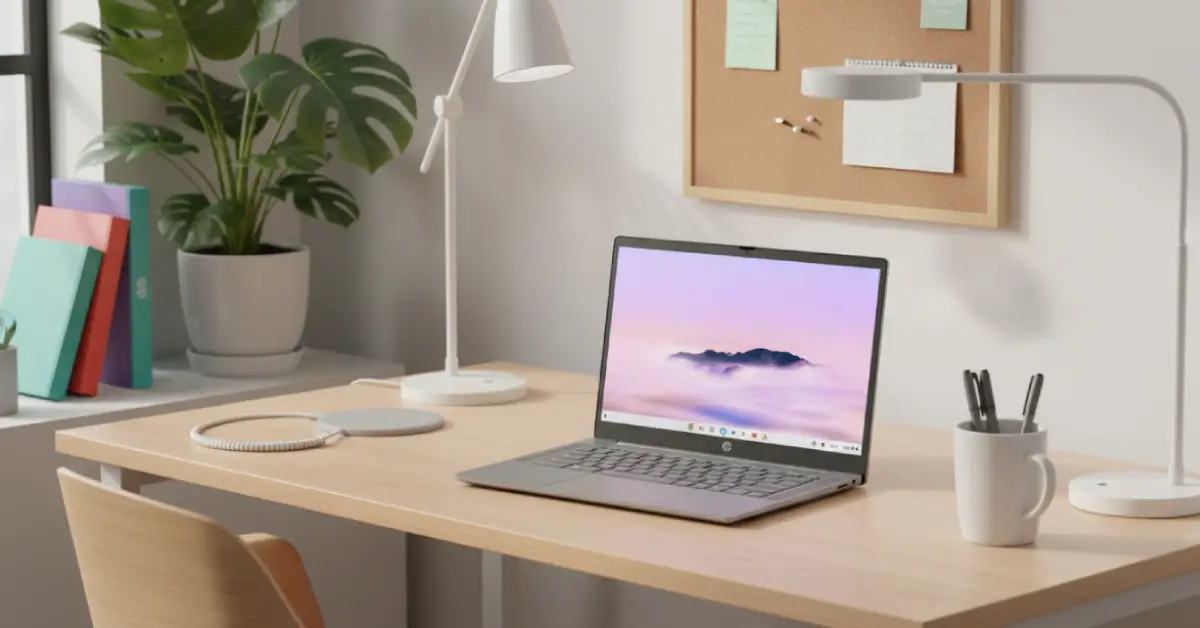
Best Chromebooks for Students Under $300 in 2026: Your Complete Buying Guide
Deal Nerd Hub uses affiliate programs. If you snag a deal through our links, we may receive a small commission at no extra cost to you. Thanks for supporting the hunt!

Last Updated on 9 months ago by Deal Nerd Hub Staff
Affordable laptops with all-day battery life, solid performance, and features students actually need
Finding a dependable Chromebook laptop under $300 isn’t as hard as it seems, especially when you know what to look for.
Today’s students need laptops that perform well when it comes to writing essays, researching topics, and holding their own in Zoom classes with professors and peers. They also want a solid machine for watching Netflix without putting holes in their budget or becoming obsolete after a year or two of usage.
With Chrome OS you can have everything run quickly and smoothly with no constant patching every few days to interrupt your workflow. Quick boot times, automatic security patches, and easy integration with Google products. Since many schools already use Google Classroom and Google Docs, you already have the same tools as you’re currently working with.
The good news? Budget Chromebooks in 2026 punch way above their weight class.
We’ve researched the latest models by scouring through review ratings and user feedback to find devices that actually deliver. We’re talking about what matters most: solid performance, battery life, and durability.
No fluff, no sponsored nonsense, just honest recommendations for students who need a dependable laptop without spending their entire summer job savings.
What to Expect From a Sub-$300 Chromebook
Let’s be real, a sub-$300 laptop isn’t going to give you a MacBook experience. But guess what, it’s okay. The advantage of using a Chromebook is that they excel at tasks that students actually do. They’re perfect for writing research papers, researching topics, and Zoom classes. Plus, they’re great for watching television shows between study sessions.
Battery life typically hits 10-12 hours, meaning you can survive a full day of classes without hunting for outlets. Displays range from 11.6 to 15.6 inches, with larger screens offering more workspace for split-screen multitasking.
What Makes a Good Student Chromebook?
Before we get into specific models, let’s talk priorities. Students need three things above all else: battery life that lasts through classes, enough performance for multitasking between Google Docs and research tabs, and a keyboard that won’t make your fingers hate you after typing a 10-page paper.
Screen quality matters more than you’d think. You’ll be staring at this thing for hours, so a dim, washed-out display will strain your eyes and make you miserable. Build quality is also key because Chromebooks get tossed in backpacks, dropped on desks, and generally treated like the workhorses they are.
Storage isn’t usually a concern since everything lives in Google Drive, however, 64GB gives you breathing room for offline files and Android apps. Speaking of apps, all modern Chromebooks run Android apps from the Google Play Store, which dramatically expands what you can do beyond just browsing.
Top 5 Chromebooks Under $300

1. Best Overall: HP Chromebook 14a
Price: Starting at $259 | Buy on Newegg | HP Store
The HP Chromebook 14a is the performance king of budget Chromebooks, and it’s not even close. While most sub-$300 Chromebooks limp along with basic Celeron processors and 4GB of RAM, this HP is more powerful. It packs an 8-core Intel Core i3-N305 processor, 8GB of RAM, and 256GB of storage. These are specs you’d normally find in laptops in the $400+ price range.
That Intel Core i3-N305 transforms what a Chromebook can do. Juggling 30+ Chrome tabs? No problem. Running multiple Android apps while streaming a lecture and taking notes? Smooth as butter. The 8-core processor handles everything Chrome OS can throw at it without breaking a sweat. The 8GB of RAM means you won’t see the dreaded “Aw, Snap!” page crashes when you have too many tabs open, which is basically always.
The 14-inch Full HD IPS display (1920 x 1080) delivers crisp text and decent color accuracy. At 250 nits of brightness, it handles indoor environments well, though direct sunlight will still wash it out. The micro-edge bezels give it a modern, premium look that doesn’t advertise its budget price tag. The IPS panel means viewing angles stay consistent, useful when you’re showing a classmate your screen.
Storage is where this really shines. The 256GB of UFS storage is four times what most budget Chromebooks offer. You can actually download Netflix shows for offline viewing, install a full suite of Android apps, keep local backups of important files, and still have room to breathe. UFS storage is also faster than the eMMC storage found in cheaper models, meaning apps and files load quicker.
The full-size backlit keyboard is a genuine pleasure to type on. HP borrowed design elements from their business laptops, and it shows. Keys have satisfying travel, the layout is intuitive, and the soft grey color scheme looks professional. The backlit keys are a rare feature at this price, making late-night study sessions less of a strain. The HP Imagepad trackpad is large, responsive, and handles multi-touch gestures smoothly.
Battery life from the 47Wh battery lands around 10-11 hours of mixed use. Not the longest on this list, but the extra performance is worth the tradeoff. At 3.2 pounds, it’s light enough for daily carrying without feeling fragile. Build quality is solid with minimal flex in the chassis.
Port selection is comprehensive: two USB-C ports with Power Delivery and DisplayPort support, one USB-A port for legacy devices, and a headphone/microphone combo jack. The 1080p webcam is leagues better than the 720p cameras most budget laptops still use, making you look presentable on Zoom calls. Wi-Fi 6 and Bluetooth 5.3 ensure fast, stable wireless connections.
The HP Chromebook 14a is proof that you don’t need to compromise on performance just because you’re on a budget. It’s the Chromebook to get if you want something that will handle anything you throw at it for the next four years.

2. Best Value: ASUS Chromebook CX15
Price: Starting at $239 | Buy on Amazon | Best Buy
Sometimes the best bang for your buck comes from a larger screen at a smaller price. The ASUS CX15 Chromebook nails this formula with a spacious 15.6-inch Full HD display (1920 x 1080) that gives you room to work.
The Intel Celeron N4500 dual-core processor handles typical student workloads efficiently. Web browsing, Google Docs, video streaming, and basic photo editing all run smoothly. The 4GB of RAM keeps multiple tabs open without stuttering, while 64GB of storage covers your essential files and downloads.
That display is the star here. At 1080p, text appears crisp and sharp, making long reading sessions less eye-straining. The anti-glare coating helps in bright environments like coffee shops or outdoor study spots. The larger screen size means you can view two documents side-by-side comfortably, a huge win when comparing sources for research papers.
Battery life clocks in around 10 hours under normal use. Not class-leading, but enough for a typical school day. The keyboard stretches across the full width of the chassis, providing good spacing and travel. ASUS includes a numeric keypad, handy for anyone dealing with spreadsheets or data entry.
Build quality feels solid for the price point. The plastic chassis doesn’t flex or creak, and the hinge opens smoothly to nearly 180 degrees. At 3.97 pounds, it’s heavier than smaller Chromebooks, but the trade-off for that big screen is worth it if you’re mostly working from a desk or library table.
Port selection includes two USB-C ports, two USB-A ports, a microSD card slot, and a headphone jack. That’s plenty of connectivity for external drives, mice, and other peripherals. The 720p webcam performs adequately for video calls, though lighting matters more than usual with this budget sensor.
The CX15 runs Chrome OS, so you get automatic updates and built-in virus protection. Setup takes minutes, and if you’re already using Gmail or Google services, everything syncs instantly.
This Chromebook isn’t trying to be flashy or premium. It’s a workhorse that shows up, does the job, and doesn’t complain. For students who want maximum screen space and solid performance at minimum cost, the CX15 delivers.

3. Best Battery Life: ASUS Chromebook Flip CX1
Price: Starting at $289 | Buy on Amazon
When your schedule involves back-to-back classes from 8 AM to 6 PM, battery life isn’t a luxury feature. The ASUS Chromebook Flip CX1 delivers up to 11 hours on a single charge, giving you enough power to get through a full day without hunting for outlets.
The 14-inch Full HD touchscreen hits the sweet spot between portability and usability. It’s large enough for comfortable productivity but small enough to slide into most backpacks without dominating your bag. The 360-degree hinge lets you flip it into tablet mode, tent mode for watching videos, or traditional laptop mode. The hinge feels sturdy and holds position at any angle without drooping.
ASUS equipped this with an Intel Celeron N4500 processor and 8GB of RAM, providing solid performance for typical student workloads. Multitasking feels responsive, apps launch quickly, and you can handle multiple Chrome tabs without slowdown. The 128GB of eMMC storage is double what many competitors offer, giving you room for offline files, downloaded videos, and plenty of Android apps.
The keyboard is comfortable with good key travel and satisfying feedback. The trackpad is responsive and supports multi-touch gestures without the stuttering you sometimes see on budget laptops. The touchscreen responds accurately, though the glossy finish means you’ll battle glare in bright environments.
Build quality inspires confidence. The all-metal chassis feels premium, especially compared to plastic alternatives. At 3.31 pounds, it’s light enough for daily carrying but substantial enough to feel durable. The slim bezels around the screen give it a modern look that doesn’t scream “budget laptop.”
Port selection includes two USB-C ports (both support charging), one USB-A port, a microSD card reader, and a headphone jack. The combination of solid battery life, reliable performance, and versatile form factor makes the Flip CX1 ideal for students with long days who need a laptop that won’t die mid-afternoon.

4. Best for Typing: Lenovo IdeaPad Slim 3 Chromebook 14
Price: Starting at $269 | Buy on Amazon | Best Buy
For students who spend most of their time typing papers, the Lenovo IdeaPad Slim 3 Chromebook 14 offers the best keyboard experience under $300. Lenovo has a reputation for excellent laptop keyboards, and they didn’t cut corners on this budget model.
The keyboard features well-spaced keys with 1.5mm of travel and satisfying tactile feedback. The typing experience rivals laptops that cost twice as much, making long writing sessions comfortable rather than tedious. The layout is intuitive with full-size keys in all the right places and no cramped function rows. The large, glass-covered trackpad is smooth and responsive, supporting multi-touch gestures without the lag you sometimes see on budget devices.
The 14-inch Full HD display (1920 x 1080) strikes a nice balance between screen real estate and portability. At 300 nits of brightness, it’s one of the brighter panels in this price range, handling overhead lighting and moderately bright environments without washing out. The anti-glare coating minimizes reflections during those marathon study sessions.
Lenovo equipped this with a MediaTek Kompanio 520 processor and 4GB RAM in the base configuration. Performance is solid for typical student workflows: Google Docs, multiple Chrome tabs, video streaming, and basic Android apps all run smoothly. The 64GB of eMMC storage is standard for this class, and cloud storage handles the rest.
Battery life reaches approximately 10 hours with mixed use, enough for a full day of classes without hunting for outlets. At 3.3 pounds, it’s light enough for daily carrying without feeling flimsy. The all-plastic build keeps costs down but doesn’t feel cheap. Port selection includes two USB-C ports, one USB-A port, a microSD card reader, and a headphone jack.
The Lenovo IdeaPad Slim 3 Chromebook 14 won’t turn heads with flashy features, but it excels at what matters most for students facing heavy writing loads. That premium keyboard experience alone makes it worth the investment if your coursework involves countless essays and research papers.
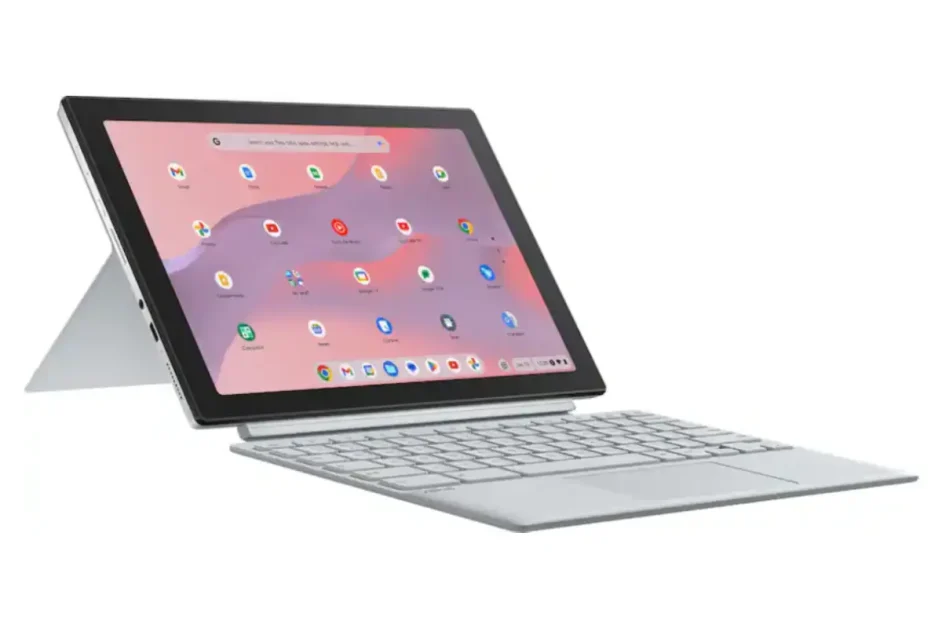
5. Best Touchscreen: ASUS Chromebook CM30 Detachable
Price: Starting at $299 | Best Buy | Walmart
The ASUS Chromebook CM30 Detachable brings premium touchscreen features to the budget category. This detachable 2-in-1 offers a 10.5-inch WUXGA touchscreen (1920 x 1200) at 400 nits brightness, included USI 2.0 stylus with fast charging, and military-grade durability, all for under $300.
That display is the standout feature. The (1920 x 1200) resolution delivers sharp text and vibrant colors, while the 400-nit brightness handles bright classrooms and outdoor use without washing out. The 16:10 aspect ratio provides extra vertical space compared to standard 16:9 screens, making it better for reading documents and scrolling through web pages. The touchscreen responds accurately and smoothly to both finger and stylus input.
The included USI 2.0 stylus is a genuine bonus. It charges automatically when stored in its garage slot on the tablet, so it’s always ready when you need to take notes, sketch diagrams, or annotate PDFs. While not as advanced as premium styluses, it handles basic note-taking and drawing tasks well. ChromeOS includes built-in shortcuts for note-taking apps and screen capture tools that work seamlessly with the stylus.
ASUS equipped the base model with a MediaTek Kompanio 520 processor, 4GB of RAM (8GB of RAM in the higher-spec model). Performance is solid for typical student tasks: web browsing, document editing, video streaming, and Android apps. You’ll want to get the 8GB if you want smoother multitasking. The higher end model offers double the storage with its 128GB of eMMC. That’s plenty of room for offline files and apps. Battery life reaches up to 12 hours, easily covering a full day of classes.
The detachable design offers true versatility. Remove the keyboard entirely for tablet mode when reading or watching videos. Attach the magnetic kickstand for adjustable viewing angles. Connect the full-size keyboard for serious typing work. The keyboard feels decent with 1.5mm key travel, though the compact layout takes some adjustment. At just 1.3 pounds for the tablet alone (2.2 pounds with keyboard attached), this is genuinely portable.
Build quality meets military-grade MIL-STD 810H standards, with an aluminum chassis made from 30% recycled materials. The construction feels sturdy, though one review noted concerns about the plastic components. The magnetic attachments for the keyboard and kickstand are strong and secure.
Port selection is minimal with just one USB-C port and a headphone jack, which is the main limitation. You’ll need to choose between charging and connecting peripherals unless you use a hub. Wi-Fi 6 and Bluetooth 5.3 provide fast wireless connectivity. The dual 5MP cameras (front and rear) are basic but functional for video calls and quick photos.
For students who want a versatile device that works equally well as a tablet for reading and note-taking or a laptop for writing papers, the ASUS Chromebook CM30 Detachable delivers impressive features for the price. The stylus, bright display, and premium build quality make it feel like a much more expensive device. Just be sure to get the 8GB/128GB model for the best experience.
Honorable Mentions
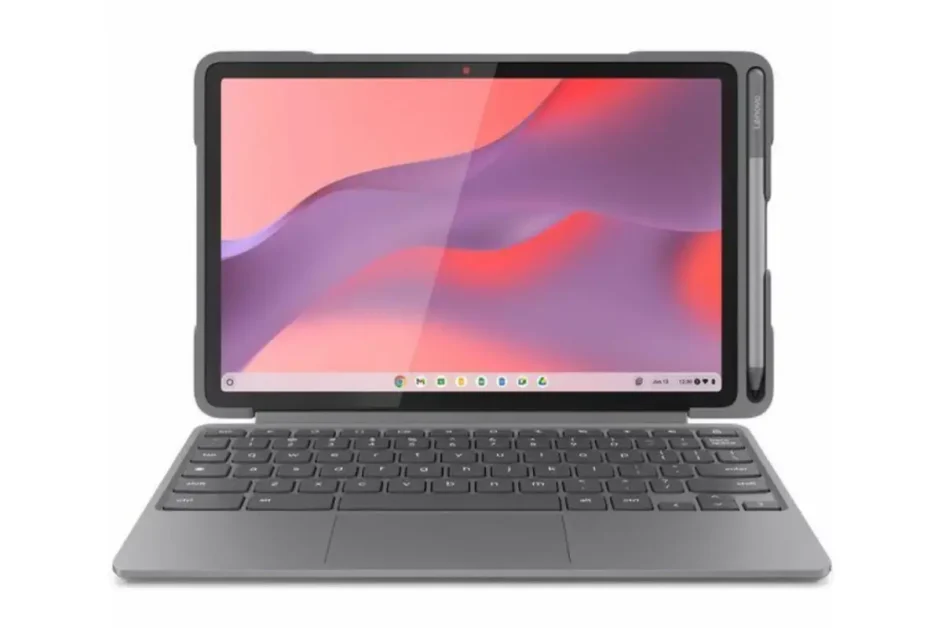
Lenovo Chromebook Duet 11 EDU G2
Price: Starting at $310 | Buy on Newegg | Lenovo Store
The Lenovo Chromebook Duet 11 (EDU G2) is the upgraded successor to the popular Duet 3, offering better performance in a slightly larger package. This detachable 2-in-1 features a 10.95-inch touchscreen (1920 x 1200), included keyboard and kickstand, and significantly upgraded internals that justify the modest price bump.
The MediaTek Kompanio 838 processor with 8-core architecture and integrated NPU delivers noticeably better performance than the previous generation. The 8GB of RAM handles multitasking smoothly, making this one of the more capable ultra-portable Chromebooks available. The 64GB of eMMC storage is adequate for most students, especially given the emphasis on cloud storage.
Display quality is excellent for the size, with the (1920 x 1200) resolution providing sharp text and vivid colors. The 10.95-inch screen hits a sweet spot between portability and usability, working well as both a tablet for reading and a laptop for typing. The detachable keyboard feels solid with decent key travel, though the compact size means some adjustment if you’re used to full-size keyboards.
Battery life is respectable, though not exceptional, at around 8-10 hours depending on usage. At just 1.77 pounds, this is genuinely pocket-friendly and won’t weigh down your bag. The dual camera setup (5MP front with privacy shutter, 8MP rear) is better than most budget Chromebooks, making it useful for quick photos and video calls.
The “EDU” designation means this model includes education-focused durability features, though it lacks some of the ruggedness found in dedicated education Chromebooks. Port selection is limited to two USB-C ports and a headphone jack, which is typical for this form factor. Wi-Fi 6 and Bluetooth 5.3 ensure fast wireless connectivity.
For students who want ultra-portability with legitimate performance and don’t mind spending an extra $30-40 over the budget options, the Duet 11 EDU G2 delivers impressive value. It’s particularly appealing for commuter students or anyone who values the flexibility of a true detachable design.

Acer Chromebook Plus 516
Price: Starting at $479 | Buy on Best Buy | Acer Store
The Acer Chromebook Plus 516 represents what happens when you stretch your budget just a bit further. This 16-inch powerhouse brings Intel Core i3-1315U performance, Google AI features, and a massive display that transforms how you work and learn.
That Intel Core i3-1315U processor is a significant step up from the Celeron and MediaTek chips in budget models. Performance is snappy and responsive, handling heavy multitasking, demanding Android apps, and even light cloud gaming without breaking a sweat. The 8GB of LPDDR5 RAM (faster than the LPDDR4 in cheaper models) keeps everything smooth even when you’re juggling 30+ Chrome tabs, multiple video calls, and streaming music simultaneously.
The 16-inch WUXGA display (1920 x 1200) is a revelation if you’re coming from smaller Chromebooks. The 16:10 aspect ratio provides extra vertical space that’s perfect for reading documents, coding, or working with spreadsheets. At 2560 x 1600 resolution and covering 100% sRGB color space, this display offers excellent color accuracy and sharpness that rivals more expensive laptops. Brightness is adequate for indoor use, though direct sunlight will still challenge it.
The Chromebook Plus designation brings access to Google’s AI features including Magic Eraser in Google Photos, enhanced video call features, and integration with Google Gemini. While these aren’t essential for students, they add polish and capability beyond standard ChromeOS. The 128GB of UFS storage (faster than eMMC) gives you plenty of room for offline files and apps.
Battery life is the main compromise here. Real-world testing shows 6-8 hours depending on usage, which is adequate but not exceptional. The larger display and more powerful processor draw more power than budget models. At 3.8 pounds, it’s portable but definitely on the heavier side. You’ll feel this in your backpack compared to 11-inch models, but the screen real estate trade-off is worth it for many students.
Build quality is solid with a sleek steel gray finish that looks professional. The keyboard is comfortable with good key travel and optional RGB backlighting (on some models). Port selection is comprehensive: two USB-C ports with DisplayPort, one USB-A port, HDMI, Ethernet, and a headphone jack. Wi-Fi 6E provides future-proof wireless connectivity.
The Acer Chromebook Plus 516 is the sweet spot for students who can stretch their budget. You get significantly better performance, a gorgeous large screen, and premium features that will serve you well through four years of college. Even when it’s not on sale, this Plus Chromebook rivals laptops that cost $500+, making it an exceptional value for students with demanding workloads.
What to Look for When Buying
Performance: Processor and RAM
Chrome OS is lightweight, so you don’t need crazy specs. Intel Celeron or MediaTek processors handle basic tasks fine. Qualcomm Snapdragon chips offer better battery life. Intel Core i3 processors provide significantly better performance for demanding multitasking. RAM is more important: 4GB is the minimum, but 8GB makes multitasking smoother and future-proofs your purchase.
Display Quality
Screen size affects portability and workspace. 11-inch models are ultra-portable but cramped for productivity. 14-15 inch displays offer more working space but add weight. Resolution matters: Full HD (1920 x 1080) is ideal, but HD (1366 x 768) is acceptable on smaller screens. Brightness (measured in nits) should be at least 250 for indoor use, higher if you work in bright environments.
Battery Life
Aim for at least 10 hours of real-world use. Manufacturer claims are optimistic, so expect actual battery life to be 15-20% lower. Long battery life eliminates the anxiety of finding outlets and lets you work anywhere on campus.
Build Quality
Plastic is common at this price but varies in quality. Look for solid construction without excessive flex or creaking. Metal chassis feels more premium and durable but adds weight. Hinge quality matters for convertibles, check reviews for reports of loosening over time.
Keyboard and Trackpad
You’ll spend hours typing on this thing. Key travel should be at least 1.3mm. Layout should feel natural with full-size keys in standard positions. Trackpad should be responsive and support multi-touch gestures. These are hard to judge without hands-on testing, so check multiple reviews.
Connectivity
Most budget Chromebooks include: two USB-C ports (for charging and peripherals), at least one USB-A port (for legacy devices), headphone jack, and microSD slot for storage expansion. Some include HDMI ports. Wi-Fi 6 is becoming standard and offers better wireless performance than older Wi-Fi 5.
Common Questions About Student Chromebooks
Can Chromebooks run Microsoft Office?
Yes, through the web-based Office 365 or Android apps from the Play Store. Google Workspace (Docs, Sheets, Slides) is free and works seamlessly on Chromebooks, offering compatibility with Microsoft formats.
How much storage do I really need?
64GB is usually enough since files live in Google Drive. You get 15GB free cloud storage (shared across Gmail, Drive, and Photos). If you plan to download lots of Android apps, offline video files, or large documents, consider 128GB or more.
What about durability?
Chromebooks vary widely in build quality. Look for models marketed to education with durability features like reinforced corners and spill-resistant keyboards. Regular consumer models range from flimsy plastic to solid metal construction.
Will it last four years?
Google guarantees eight years of automatic Chrome OS updates for devices released in 2024 or later. Hardware-wise, budget Chromebooks should last 3-4 years for basic tasks if treated reasonably. They’re less upgradeable than traditional laptops but also less likely to accumulate performance-killing bloatware.
Can I use it offline?
Yes. Google Docs, Sheets, and Slides all work offline if you enable the setting. Downloaded Android apps work offline. Netflix, YouTube, and other streaming apps let you download content for offline viewing. You won’t have the full functionality without internet, but basic productivity works fine.
Final Verdict
The best Chromebook for you depends on your specific needs. Need maximum performance? The HP Chromebook 14a dominates with its Core i3 processor, 8GB RAM, and 256GB storage. Want the longest battery life? The ASUS Chromebook Flip CX1 delivers up to 11 hours with convertible versatility.
Need a big screen for multitasking on a tight budget? The ASUS Chromebook CX15 gives you 15.6-inches for just $239. Prioritize portability? The Lenovo IdeaPad Slim 3 Chromebook 14 weighs just 3.3 pounds. Want premium touchscreen features with a stylus? The ASUS Chromebook CM30 Detachable offers a bright display, included USI 2.0 stylus, and military-grade build quality.
Don’t overthink it. Any Chromebook in this guide handles typical student workloads reliably. Pick based on screen size preference and budget, then get to work. Your Chromebook is a tool, not a status symbol, and these budget options prove you don’t need to spend $1,000 to succeed in school.


2 Comments