How to Spot Fake Sales with Price Trackers in 2026
Deal Nerd Hub uses affiliate programs. If you snag a deal through our links, we may receive a small commission at no extra cost to you. Thanks for supporting the hunt!

Last Updated on 2 months ago by Deal Nerd Hub Staff
Master the art of price tracking to identify ‘The Mountain Peak’ pricing trap and find genuine historical lows at major retailers.
We have all been there. You see “60% OFF” a pair of noise-canceling headphones. Your heart skips a beat. You grab your wallet. But here’s the dirty secret of 2026 peddling: that original price might have been invented ten minutes ago.
In the retail industry, we call these anchor prices. That’s when retailers hike a price up for a few days just so they can “slash” it back down to the normal MSRP. It looks like a deal. It feels like a deal. It is actually just basic math used against you.
If you want to shop like a pro this year, you need to stop looking at the discount percentage and start looking at the price history. Here is how to use price trackers to spot the fakes and keep your money in your pocket.
The Big Three: Tools of the Trade
You don’t need a degree in data science to track prices. You just need the right browser extensions. Based on my decade of covering e-commerce shifts, these three remain the most reliable for 2026.
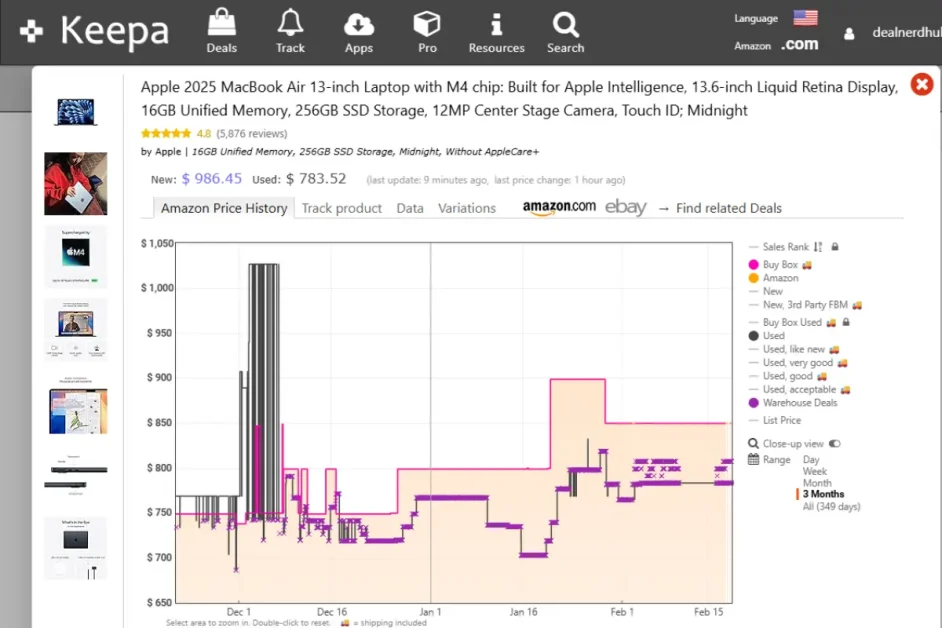
- Keepa (The Gold Standard for Amazon): If you shop on Amazon, Keepa is non-negotiable. It embeds a chart directly onto the product page. You can see what an item cost yesterday, three months ago, and even two years ago. It even tracks “Warehouse Deals” for used items.
- CamelCamelCamel: This is the classic alternative. It is best for setting “price drop alerts.” You tell it you want those sneakers when they hit $80, and it emails you the second they do.
- Price.com / Capital One Shopping: These are better for general browsing across sites like Walmart, Target, and Best Buy. They use AI to scan the web and tell you if a different store has the same item cheaper right now.
How to Spot a “Fake” Sale in 30 Seconds
When you open a price tracker chart, you’re looking for a specific shape. We call it “The Mountain Peak.” Imagine a coffee maker that usually costs $100. A week before Black Friday, the price suddenly jumps to $140. On Friday morning, the retailer shouts about a “huge 30% discount,” bringing the price down to $98.
Technically, it is a sale. But in reality, you are only saving $2 compared to the price it was a month ago. If the chart shows a sudden, sharp spike right before a major holiday, the sale is a trap. Wait for the chart to show a “valley” which is a price point that is lower than the average of the last six months.
The 2026 “Dynamic Pricing” Problem

Retailers have become smarter. In 2026, many use dynamic pricing algorithms. These change costs based on your browsing history, your location, and even your device type.
Price trackers are your only way to level the playing field. They don’t care about marketing fluff or your digital footprint; they only care about the raw data stored on the server. To beat the algorithm:
- Check the 365-day view: Some sales happen every month like clockwork. If the lowest price ever happens every third Tuesday, wait for Tuesday.
- Ignore “List Price”: This number is often provided by the manufacturer and is rarely what anyone actually pays. Only trust the “New” or “Used” price lines on your tracker.
Beyond Amazon: Tracking Walmart
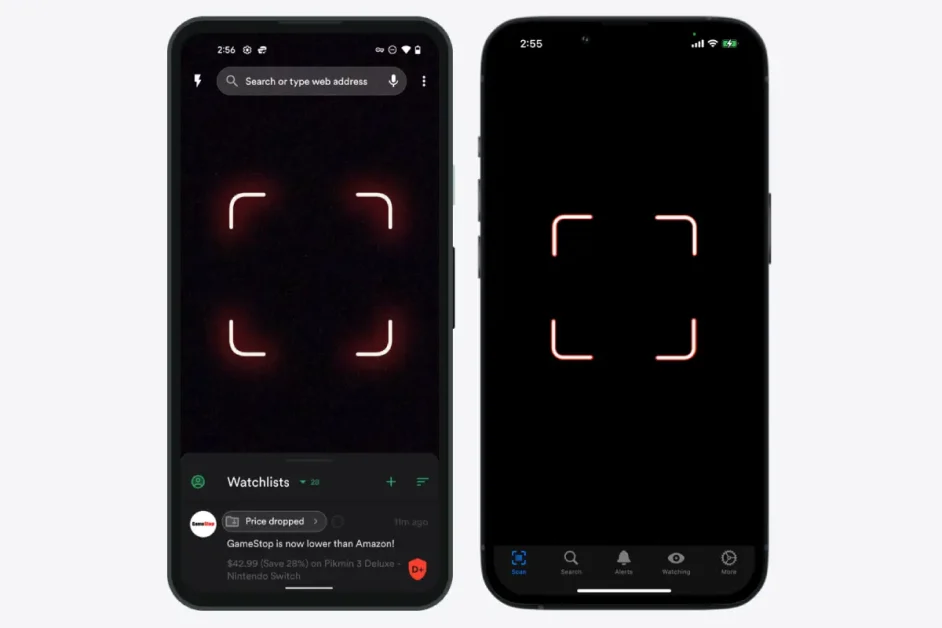
Tracking prices outside of Amazon used to be a headache, however, modern technology makes it much easier. Apps like ShopSavvy let you to scan barcodes in-store.
If you’re standing in a Walmart aisle and see a clearance tag, scan it. These apps will show you if the “clearance” price is actually higher than the standard price at a competitor. It happens more often than you would think.
Expert Note: Always check the “Sold by” field. Third-party sellers on big-box sites often inflate prices to make their own discounts look massive. If it isn’t “Sold and Shipped by Walmart,” treat that discount percentage with extreme suspicion.
Set It and Forget It
The biggest mistake shoppers make is manual hunting. You don’t have time to check 20 tabs every morning. Use the Alert function instead.
- Find your “Buy Price”: Look at the historical low on Keepa.
- Set an alert: Set your target price about 5% above that all-time low.
- Walk away: Let the app do the work.
Stop falling for the red stickers and start looking at the green lines on the graph. Your bank account will thank you.